

Last Updated: October 24, 2026
Quick Summary
Your hair clippers need replacing when the motor slows or changes pitch under load, the battery dies mid-cut, or the housing is cracked, since these faults can't be fixed with a new blade. Grinding noises, blades too hot to touch, and repeated jamming are safety signals to stop using them immediately.
- A dull blade pulls hair, leaves choppy lines, skips patches, and runs hotter than normal.
- Replace the blade if the body runs smoothly; replace the whole clipper if the motor, battery, or housing fails.
- Run a clean, oil, cool, and test-patch cycle before buying anything new.
- Retire a blade that jams more than twice in one service.
- Run the full performance test weekly in a high-volume shop and monthly for home use.
Table of Contents
- When Hair Clippers Start Costing You Cuts
- How to Tell if Clipper Blades Are Dull
- What to Do When Clippers Pull Hair
- Why Do Hair Clippers Stop Cutting Mid-Service?
- Noise, Heat, and Jamming: Warning Signs to Stop Using
- Clipper Blade Replacement or New Clipper: How to Decide
- Run the Performance Test Before You Shop
- Stock Your Station with Tools That Hold Up
- Frequently Asked Questions
When Hair Clippers Start Costing You Cuts
A dull blade doesn't just slow you down. It costs you clients. At Fade Supply Co, we hear from barbers every week who blame themselves for a bad fade when the real problem is sitting on their station: worn-out hair clippers that should have been retired months ago.
Here's the core issue. Most barbers wait until a clipper fails completely before replacing it. That's backwards. The warning signs show up long before the motor dies, and catching them early protects your reputation, your chair time, and your hands.
Below, we'll walk through the eight signals that tell you it's time to act, plus a simple test you can run before you spend a dollar on new equipment. The goal isn't to sell you clippers. It's to help you tell the difference between a maintenance problem and a worn-out tool.
How to Tell if Clipper Blades Are Dull
Blade wear is gradual, so it creeps up on you. A blunt blade still spins and still makes noise. It just stops doing its job well.
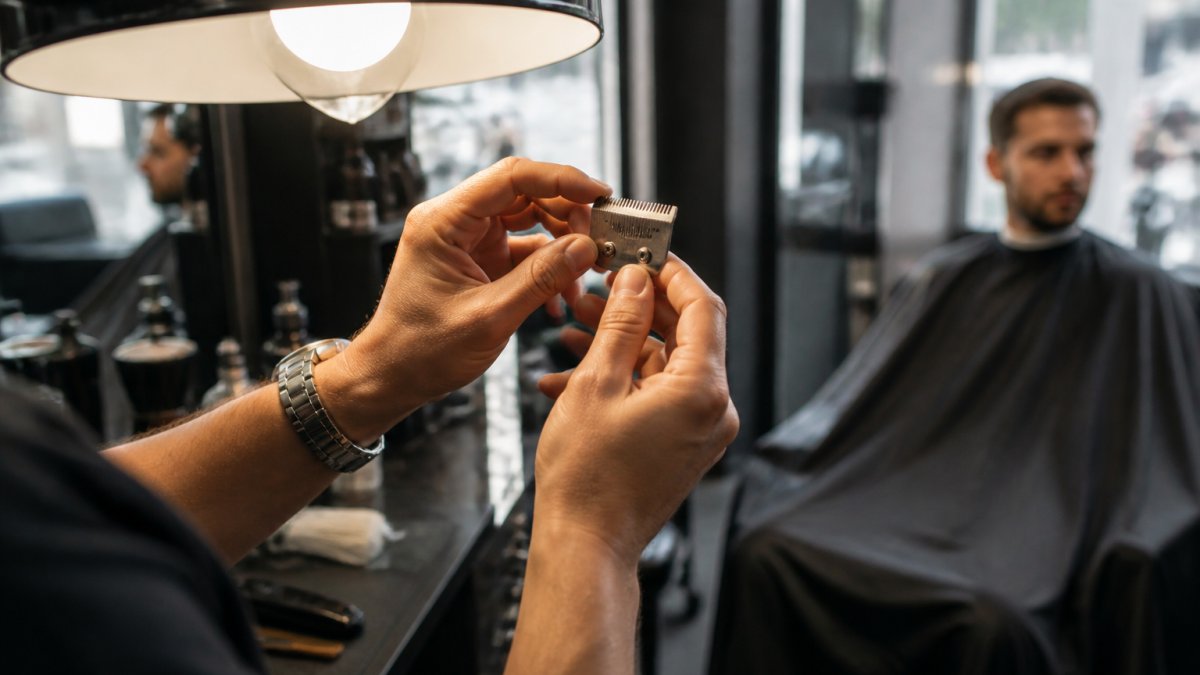
Here's what to look for on the blade itself:
- Rounded rails. The teeth should feel sharp, not smooth. Run a fingernail along the edge.
- Visible hair buildup packed between the teeth and under the cutter.
- Rust or corrosion on the cutting surface, often from moisture or skipped oiling.
Most of these are fixable with cleaning and lubrication. If the teeth are physically worn down, cleaning won't bring them back.
A maintenance kit gives you the cleaning, cooling, and oiling supplies to address dull, underperforming blades before you replace them. Our Fade Supply Maintenance Kit bundles clipper oil, cooling spray, and disinfectant in one package.

What to Do When Clippers Pull Hair
When clippers pull hair, stop the cut and clean the blade first. Pulling almost always means hair is trapped between the blades or the blade needs oil.
Pulling is the most common complaint we hear, and it's usually not a death sentence for the clipper. Work through this order:
- Brush out the hair buildup between the teeth.
- Oil the blade and run the clipper for a few seconds.
- Check blade tension and alignment against the rails.
If pulling continues after a full clean and oil, the blade is likely worn past the point of saving. That's your signal to move to replacement.
Watch out: pulling hair on a client's scalp can nick skin and damage trust fast.
Why Do Hair Clippers Stop Cutting Mid-Service?
A jammed blade usually clears with a quick clean. Overheating means the blade needs cooling and the clipper needs a break.
This is where diagnosis matters. A clipper that stops cutting because of hair buildup needs maintenance. One that stops because the motor performance has faded needs replacement.
Ask yourself one question: did the clipper stop after a long run, or did it stop cold? Long-run failures point to heat.
Noise, Heat, and Jamming: Warning Signs to Stop Using
Stop using a clipper immediately if it makes grinding or rattling noises, gets too hot to touch, or jams repeatedly. These are safety signals, not maintenance reminders.
A grinding noise often means worn blade drive parts or a failing motor bearing. Hot blades that won't cool after a spray point to friction from a misaligned or worn blade.
Here's the line we draw for our own shop:
- Grinding or rattling: stop, inspect, replace if it continues.
- Blade too hot to touch: stop, cool, check alignment.
- Jams more than twice in one service: retire the blade.
Pushing a failing clipper risks burning a client's scalp or nicking skin. No cut is worth that.
Clipper Blade Replacement or New Clipper: How to Decide
Replace the blade if the clipper body runs smoothly and only the cutting edge has worn. Replace the whole clipper if the motor, battery, or housing is failing. The blade is the cheap, fast fix.
The problem is that most barbers treat every performance issue as a blade problem, buy a blade, and then discover the motor was the real culprit.
Step 1: Isolate the blade
Remove the blade and inspect the cutting surface under good light. Run a fingernail along the teeth: sharp teeth catch, worn teeth glide. Look for rounded rails, rust, or teeth that no longer sit flush. Then reattach the blade, oil it, and run the clipper for a few seconds.
A blade that is physically worn down cannot be restored by cleaning. A blade that is merely dirty, dry, or misaligned usually can.
Step 2: Isolate the motor
A healthy motor holds a steady pitch under load. A fading motor changes pitch when you push the clipper into thick hair, it slows, boggs down, or sounds strained. Run the clipper in the air, then run it against a test patch of thick hair. If the sound and speed drop noticeably under load, the motor is losing torque. No blade swap fixes that.
Step 3: Isolate the battery (cordless only)
A battery that dies mid-cut, charges faster than it used to, or runs for noticeably shorter sessions is failing. Test it by fully charging, then running the clipper continuously and timing how long it lasts. Compare that to the runtime you got when the clipper was new. A sharp drop points to the battery, not the blade. On most cordless clippers the battery is replaceable; on sealed units it is not, which pushes the decision toward a new clipper.
Step 4: Isolate the housing and switch
Check for cracks, a loose blade latch, or a switch that cuts in and out. A housing failure is a safety issue, a blade that shifts mid-cut can nick skin. If the body is compromised, retire the whole unit regardless of how good the blade is.
The decision table
| Symptom | Likely Cause | Fix |
|---|---|---|
| Pulling, choppy lines | Worn or misaligned blade | Replace blade |
| Rust or corrosion | Moisture, skipped oiling | Replace blade, oil regularly |
| Grinding noise | Worn blade drive or motor | Replace clipper |
| Dies mid-cut on cordless | Failing battery | Replace battery or clipper |
| Overheating that won't cool | Worn blade or motor | Check blade first, then clipper |
| Motor slows under load | Fading motor | Replace clipper |
| Loose blade latch or cracked housing | Housing failure | Replace clipper |
A replacement trimmer blade is the direct purchase option if you decide the body is still good.
Blade replacement frequency depends on use. A high-volume shop sharpens or replaces blades far more often than a home user. Track it by cut count, not by calendar.
Run the Performance Test Before You Shop
Before buying new clippers, run a clean-and-test cycle: fully clean the blade, oil it, cool it, then cut a test patch on thick hair. If the cut is clean and smooth, you saved yourself a purchase. If it still pulls or skips, the tool is done.
The key is to test in a fixed order so you can tell which variable changed the result.
The test, step by step
- Remove and brush the blade. Clear hair packed between the teeth and under the cutter. Note how much debris came out, heavy buildup is itself a finding.
- Oil the blade and run the clipper for a few seconds so the oil distributes.
- Cool the blade with spray if it was warm to the touch.
- Reassemble and check alignment. The top and bottom teeth should sit flush and the blade should seat firmly against the rails with no wobble.
- Cut a test patch on a mannequin or a willing client, thick hair, not a thin edge, because thick hair loads the blade and exposes weakness.
Pass/fail criteria
- Pass: the blade cuts smoothly with no pulling, the line is even, and the clipper holds its pitch under load. Stop here, you saved the purchase.
- Partial pass: the cut improves but still pulls or skips. The blade is worn past what maintenance can fix; replace the blade, not the clipper.
- Fail: the clipper still pulls, stalls, or changes pitch under load after a full clean, oil, and cool. The problem is the motor or battery, and the whole unit needs replacing.
Safety checks before and during the test
Inspect the blade for chips, cracks, or missing teeth before you run it, a damaged blade can catch and cut skin. Never test a blade that is too hot to touch; let it cool first. Keep fingers clear of the teeth while the clipper is running, and use a mannequin or test strip rather than a client's scalp for the first pass.
If the test fails, it's time to shop. A cordless clipper with strong motor performance is a relevant option for readers shopping for a replacement. A high-torque clipper is a concrete upgrade when your motor is fading. A high-torque clipper is a concrete upgrade when your motor is fading.
How often to run the test
Run the full test whenever you notice any of the warning signs above, and on a schedule as a preventive check, weekly in a high-volume shop, monthly for occasional home use. Log the result by cut count so you can see wear trending before it costs you a client.
Stock Your Station with Tools That Hold Up
The best way to avoid emergency replacements is to buy tools that last and maintain them on a schedule.
Build a simple routine:
- Oil blades after every few clients.
- Cool and disinfect between clients.
- Inspect teeth weekly for wear and rust.
Setting up a durable, organized workstation helps too. This article on barber station organization gear helps them set up a durable, well-organized workstation.
At Fade Supply Co, we're veteran-owned and we stock professional-grade tools built for daily use. We keep shipping fast so your station never sits idle waiting on a delivery.
Frequently Asked Questions
What are the signs that hair clippers need replacing?
The clearest signs are missed hair after multiple passes, uneven or choppy lines, snagging and pulling, and blades that get hot within minutes. Unusual noise, frequent jamming, and visible rust on the blade or rails also point to replacement. If cleaning, oiling, and a fresh blade do not restore cut quality, the clipper itself is the problem. High-volume shops typically notice these signs sooner because the blade drive and motor run harder every day.
Can a clipper blade be replaced without replacing the whole clipper?
Yes, in most cases. If the motor runs at full speed and the housing and cord are intact, a clipper blade replacement is the cheaper fix. Swap the blade, oil the rails, and run a test cut on a mannequin or a trusted client. If the cut is clean and the blade stays cool, you saved the cost of a new clipper. If the blade still pulls or the motor bogs down, the clipper needs replacing.
How often should clipper blades be replaced?
Replacement frequency depends on usage and maintenance. A home user cutting a few heads a month might get a year or more from a blade with regular oiling. A professional running 10 to 15 cuts a day may need a new blade every few months, and sooner if the blade is dropped or run without oil. Watch cutting performance rather than the calendar. Once a blade needs sharpening more often than it cuts clean, replace it.
Why do my clippers pull hair even after cleaning and oiling?
Pulling after cleaning usually means the blade is dull, misaligned, or the blade drive is worn. Check that the blade sits flat on the rails with no gap, and that the screws are snug but not overtightened. If alignment is correct and the blade still pulls, the teeth have rounded and need sharpening or replacement. A drop of clipper oil on the blade rails before each client helps, but it cannot fix a worn cutting edge.
Your clippers are the tools that define your craft. When they start costing you cuts, don't wait for a total failure. Fade Supply Co gives you dependable, professional-grade equipment, fast shipping, and a maintenance lineup that keeps your blades sharp and your station dialed in. Get started with Fade Supply Co and keep every cut clean, every time.
