

Table of Contents
- Blade Heat vs. Motor Heat: Diagnosing the Real Problem
- Why Professional Clippers Overheat Quickly: The Main Causes
- How to Clean Clipper Blades to Stop Heat Buildup
- How to Oil Barber Clippers the Right Way
- How to Keep Clipper Blades Cool During a Grooming Session
- Clipper Motor Overheating: When It Is the Machine, Not the Blade
- Preventive Maintenance Schedule for Professional Clippers
- Conclusion
- Frequently Asked Questions
Last Updated: October 13, 2026
Blade Heat vs. Motor Heat: Diagnosing the Real Problem
Heat in professional barber clippers almost always starts in one of two places: the blade or the motor. Knowing which one is running hot saves you from replacing parts you do not need to replace. Touch the blade first: if the blade is hot and the housing is cool, it is a blade problem; if the whole body is hot, the motor is working too hard.
The Two Heat Sources, Explained
Blade heat comes from friction: hardened steel blades sliding against each other thousands of times per minute. When they are dull, misaligned, or dry, friction climbs and the thin steel heats up fast. Motor heat comes from electrical resistance and mechanical load, thick hair, dull blades, or a binding assembly makes the motor draw more current and radiate heat into the housing.
A Step-by-Step Diagnostic Process
Work through these steps in order. Stop at the first one that matches your situation.
Step 1, Power off and let the clipper rest for two minutes. This lets residual heat dissipate so you measure the source, not the afterglow.
Step 2, Check the blade with the back of your hand or your wrist. Never use your fingertips on the teeth.
Step 6, Listen and feel for motor strain. A strained motor sounds different, a lower pitch, labored hum, or stutter.
Quick Reference: What the Heat Pattern Tells You
- Blade only: Hot teeth, cool body. Usually friction, dull blades, or poor oiling.
- Body and blade: Warm housing, warm blade. Usually motor strain or blocked vents.
- Hot near the cord or battery: Electrical or charging issue, not blade friction.
Safe Temperature Checks and Burn Prevention
You do not need a thermometer to protect your client, but you do need a consistent habit: a blade that feels comfortably warm to the back of the hand is safe; one that makes you pull your hand away is not. Use these rules every time:
- Test with the back of your hand or your wrist, never your fingertips. The back of the hand is more heat-sensitive and less likely to be injured by a quick touch.
- Test before every client, not just when you think the blade is hot. Heat builds gradually and you can lose track of it during a busy stretch.
- Test on the blade teeth, not the blade body. The teeth are where friction happens and where temperature is highest.
When the Pattern Does Not Fit
Some clippers overheat for reasons outside the blade-or-motor categories:
- A new clipper that overheats immediately. Often a manufacturing defect or a blade installed incorrectly at the factory. Contact the manufacturer or retailer.
- A clipper that overheats only with one specific blade. The blade is the problem, not the clipper. Try a known-good blade to confirm.
- A clipper that overheats after a repair. The repair may have left a wire pinched, a vent blocked, or the blade misaligned. Recheck the work.
Why Professional Clippers Overheat Quickly: The Main Causes
Clippers overheat quickly for a handful of reasons, and most trace back to maintenance, not a bad machine. The three biggest culprits are blocked airflow, worn or misaligned blades, and dry metal running against dry metal.
Blocked Cooling Vents and Airflow
Every professional clipper pulls air through vents to cool the motor, and hair, dust, and product buildup clog those vents over time. Once airflow drops, heat has nowhere to go: it goes into the housing, the blade, and eventually your hand. A common mistake is blowing into the vents with compressed air, which pushes debris deeper. Use a soft brush instead, and clear the vents weekly, more often in shops with heavy hair spray or talc use.
Worn Blades, Tension, and Alignment
A dull blade drags instead of cutting, and that drag creates friction and heat. The same happens when blade tension is too tight or the blades are out of alignment.
Signs your blade is the problem:
- Hair pulling instead of clean cutting
- Rough cutting that needs multiple passes
- A blade that gets hot within a few minutes
If you see these signs, the blade needs sharpening, realignment, or replacement. Pushing through with a worn blade wears out the motor too, since it must work harder to drive a blade that is fighting the hair.
Motor Strain and Load
Motor heat comes from the motor working harder than it should. The most common causes of motor strain are:
- A dull or misaligned blade. The motor has to push the blade through hair it cannot cut cleanly.
- Thick or wet hair. Wet hair is heavier and clings to the blade, increasing load.
- A binding blade assembly. Hair packed between the blades or a bent blade creates resistance the motor has to overcome.
If your clipper slows down as it warms up, that is classic motor strain: the motor loses efficiency as it heats, draws more current, and gets hotter.
How Clipper Design Affects Heat Buildup
Not all clippers overheat at the same rate, motor design and power source both matter.
Corded vs. cordless. Corded clippers usually run cooler because they draw steady power and often have larger motors with more room for airflow.
Rotary vs. magnetic motor. Magnetic motor clippers run at a fixed speed and stay cooler under light use.
Battery and charging issues. A battery that gets hot while charging, or a clipper that only overheats when running cordless, points to the power source.
The Maintenance Connection
Almost every cause above comes back to maintenance. A clean, oiled, properly tensioned blade cuts with less friction, less blade heat and less motor load. Clear vents let the motor shed heat, and a healthy battery gives it steady power.
If your clipper overheats quickly and you cannot identify a maintenance cause, check the design factors. A cordless rotary clipper in a hot shop with thick hair will run warmer than a corded magnetic clipper in a cool shop with fine hair. That is not a defect, it is physics. Plan your breaks around it.
How to Clean Clipper Blades to Stop Heat Buildup
Cleaning is the fastest way to cut blade heat. Hair and debris trapped between the blade teeth act like sandpaper. Every pass adds friction, and every bit of friction adds heat.
Here is the routine we recommend between clients:
- Power off and unplug the clipper.
- Brush out the teeth with a small cleaning brush. Work from the blade corners toward the center.
- Remove the blade if your model allows it, and brush the underside too.
- Spray the blade with a cleaner that disinfects and lubricates in one step, like Andis Cool Care 15.5 oz.. It cleans, disinfects, and lubricates without removing the blade, and it acts as a coolant to extend blade life.
- Wipe the housing and vents with a dry cloth.
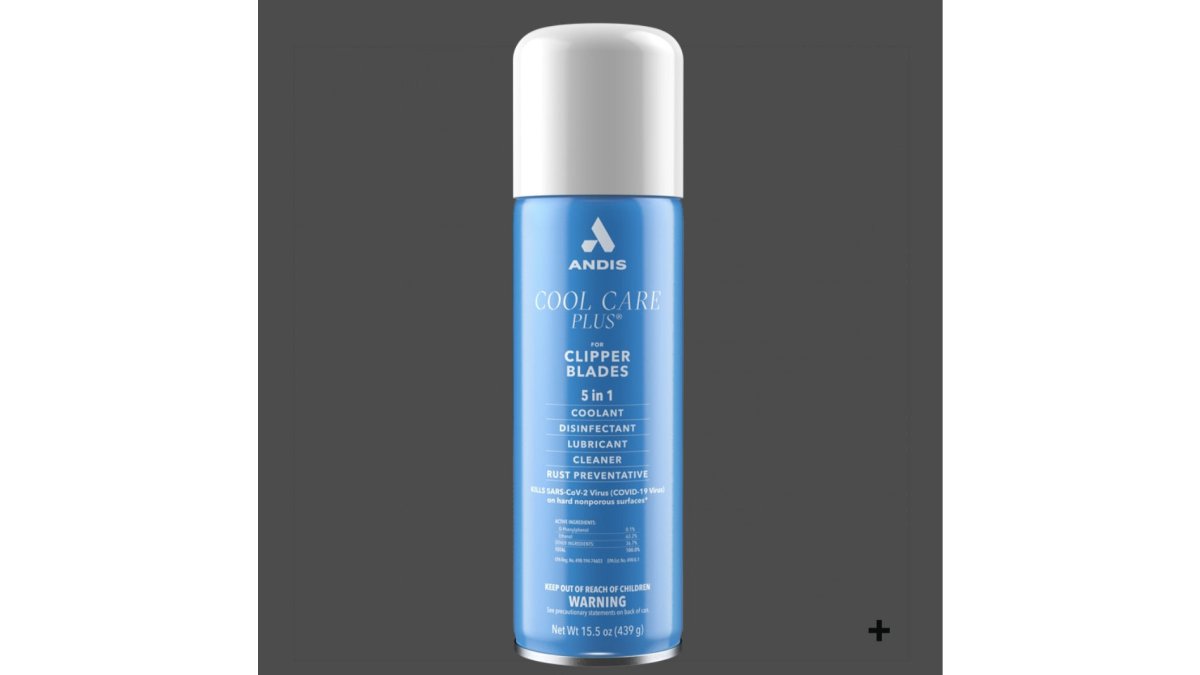
Brush the blade after every single client, not just at the end of the day. Thirty seconds between cuts prevents the heat buildup that costs you ten minutes of cooling downtime later.

How to Oil Barber Clippers the Right Way
Oil reduces friction, and less friction means less heat. The mistake most barbers make is skipping oil because the blade "still looks clean." Clean metal still needs lubrication.
Follow this method:
- Apply two or three drops of clipper oil across the blade teeth.
- Run the clipper for 10 to 15 seconds so the oil spreads through the blade assembly.
- Wipe off the excess with a clean cloth.
Andis Clipper Oil 4 oz. is formulated for all types of clipper and trimmer blades. Regular use supports maximum clipper power and longer blade life.

Do not over-oil. Too much oil attracts hair and dust, which clogs the blade and the vents. Two or three drops is enough.
How to Keep Clipper Blades Cool During a Grooming Session
You cannot stop heat completely during a long grooming session. You can manage it. The goal is to keep blade temperature low enough that it never bothers a client and never strains the motor.
Try these habits:
- Take short breaks. Power down for 30 to 60 seconds between clients.
- Use a cooling spray between cuts. A coolant spray drops blade temperature fast.
- Keep a spare blade or clipper on the station and rotate.
If you run a high-volume chair, a second clipper is not a luxury. It is the cheapest way to avoid downtime.
Clipper Motor Overheating: When It Is the Machine, Not the Blade
Motor overheating is different from blade heat. It shows up as a warm or hot housing, a clipper that slows down, or a machine that shuts off mid-cut. Many professional clippers have a safety cutoff that trips when internal temperature climbs too high. That cutoff is protecting the motor, not failing you.
Corded vs. Cordless, Rotary vs. Magnetic Motor
Corded clippers usually run cooler because they draw steady power and often have larger motors with better airflow.
Magnetic motor clippers run at a fixed speed and tend to stay cooler under light use.
Battery and charging problems can also cause heat. A battery that gets hot while charging, or a clipper that only overheats when running cordless, points to the power source.
Preventive Maintenance Schedule for Professional Clippers
A repeatable schedule prevents most overheating before it starts. The routine we recommend for a working barber:
| Task | Frequency | Why It Matters |
|---|---|---|
| Brush hair from blade teeth | After every client | Stops friction and heat buildup |
| Oil the blade | Every few clients | Cuts friction, protects the blade |
| Clean and disinfect the blade | Between clients | Removes debris and protects clients |
| Clear cooling vents | Weekly | Restores airflow to the motor |
| Check blade tension and alignment | Weekly | Prevents drag and uneven cutting |
| Inspect for worn or damaged blades | Monthly | Catches faults before they strain the motor |
| Full clean and deep oil | Monthly | Extends blade and motor life |
The Fade Supply Maintenance Kit bundles the essentials: Andis Clipper Oil, Andis Cool Care, and Barbicide Disinfectant. One kit covers cleaning, lubrication, and sanitation so nothing gets skipped.

Conclusion
Overheating clippers cost you time, clients, and eventually the machine itself. The fix is rarely a new clipper.
At Fade Supply Co, we stock the maintenance essentials professional barbers actually use, from clipper oil and coolant spray to full station kits, chosen with real experience behind the chair, shipped fast so your station never sits idle.
Shop the Fade Supply Co collection and keep your tools running cool, sharp, and ready for the next client.
Frequently Asked Questions
Can dirty clipper blades cause overheating?
Yes. Hair buildup and debris packed between the blade teeth increase friction, and friction is heat. When blades are not cleaned between clients, clippings also block the small gaps that let air pass through, so heat has nowhere to go. Brushing out debris after every cut and disinfecting with a product like Andis Cool Care 15.5 oz., which cleans, disinfects, and lubricates in one step without removing the blade, keeps friction and heat buildup down.
How often should you oil professional barber clippers?
Apply a small drop of clipper oil to the blade at the start of each day and again after every few clients, or whenever the blade looks dry. Andis Clipper Oil 4 oz. is formulated for all clipper and trimmer blades and helps maintain clipper power while extending blade life. Over-oiling is not the goal; a drop at the blade corners and center is enough to keep friction low and cutting smooth.
How do you cool down hot clipper blades safely?
Stop cutting and let the blade rest, or use a dedicated blade coolant spray rather than dunking the clipper in water or alcohol. Andis Cool Care 15.5 oz. acts as a coolant while it cleans and lubricates, so you can treat the blade between clients without pulling it apart. Never press a hot blade against a client's skin to test it. Touch the flat side of the blade with the back of your hand first, and give the clipper a real break if it is still too warm.
When should you replace or repair clippers that keep overheating?
If cleaning, oiling, and clearing the vents do not fix the heat, the problem is usually internal: a worn blade set, a stretched spring, or motor strain. Replace blades that pull hair or cut rough, and check tension and alignment before assuming the motor is gone. If the housing itself gets hot, the clipper slows down, or it shuts off mid-cut, stop using it and send it for professional repair rather than pushing through a shift.