

Table of Contents
- What to Look for in a Barber Clipper Charging Dock
- Universal Barber Clipper Charging Station Options
- How to Maintain Clipper Battery Health
- Durability, Build Quality, and Workspace Organization
- Recommended Charging Docks and Bundles
- Choosing the Right Dock for Your Setup
- Conclusion
Last Updated: August 19, 2026
What to Look for in a Barber Clipper Charging Dock
A quality barber clipper charging dock protects your investment and keeps your station organized. Focus on three core elements: compatibility with your existing clippers and trimmers, charging speed and battery management features, and physical durability for a high-volume environment.
The best docks offer universal compatibility across multiple brands and feature wireless charging or USB-C connectivity, the industry standard for professional grooming tools. Look for an anti-slip base to prevent tools from sliding during placement, especially when moving quickly between clients.
Battery management extends lithium-ion battery lifespan by preventing overcharging. LED battery indicators give you real-time visibility into charge levels. Impact-resistant materials and cable management features keep your workspace clean and safe.
Universal Barber Clipper Charging Station Options
A universal charging station eliminates the headache of managing multiple proprietary chargers, particularly useful for shops running mixed equipment or mobile barbers.
Wireless vs. Corded Charging
Wireless charging is the modern standard, simply place your clipper on the dock and it begins charging automatically, with auto-shutoff features protecting battery health. Corded charging via USB-C is more affordable upfront but introduces cable clutter and requires active management.
The choice depends on workflow. Stationary stations benefit from wireless charging's seamless experience, while mobile barbers prefer USB-C's portability and faster charge times in some cases.
Compatibility Across Brands
Universal docks supporting multiple clipper brands simplify equipment management. Check specifications carefully, some "universal" docks only work with standardized charging contacts. The best docks feature interchangeable inserts or adjustable contact points accommodating different tool shapes.
Consider your shop's current equipment and future expansion plans. A dock supporting your existing clippers should also accept new tools you might add later.
How to Maintain Clipper Battery Health
Proper charging habits directly extend your clipper's lithium-ion battery lifespan.
Daily Charging Best Practices
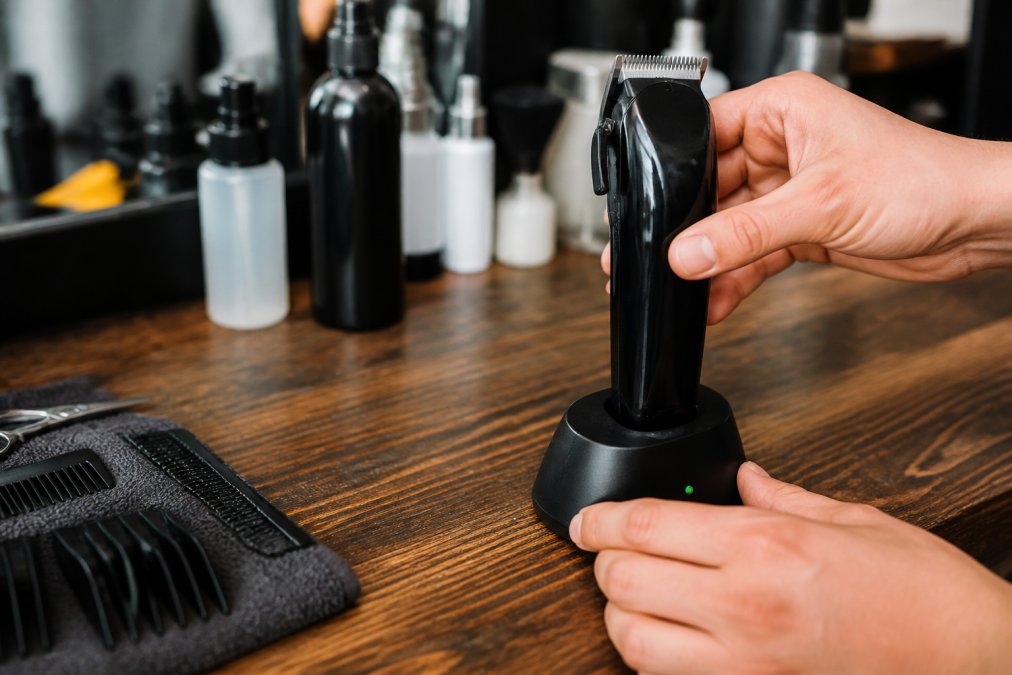
Never let batteries fully deplete before charging. Charge when the battery drops to 20-30% capacity rather than waiting for complete drain. This pattern reduces stress on the battery's internal chemistry and extends overall cycle life by 15-25%.
Remove tools once fully charged to reduce unnecessary heat exposure. Keep your dock in a cool, dry area away from direct sunlight, heat sources, and high-humidity environments.
Heat Management and Safety Considerations
When multiple tools charge simultaneously, thermal buildup becomes a concern. Professional cordless clippers draw 15-25 watts during charging; three tools charging at once generate 45-75 watts of heat. Look for docks with temperature sensors that throttle charging if temperatures exceed safe operating levels (104-122°F) and ventilation slots for heat dissipation.
Store clippers in cool environments when not in use. For mobile barbers, avoid leaving tools in direct sunlight or hot vehicles. A protective case maintains stable temperatures and keeps tools safe.
Electrical Safety in Multi-Tool Charging Setups
Verify your electrical circuit can handle combined charging loads. Three clippers at 20 watts each (60 watts total) plus other equipment may exceed a standard 15-amp circuit's safe capacity. Use a dedicated power strip with surge protection rated for at least 2,000 joules. Avoid daisy-chaining power strips, as this compounds voltage drop and heat generation.
Monthly Maintenance for Charging Contacts
Clean charging contacts monthly with a dry cloth. Dust or hair buildup prevents proper power transfer and causes overheating. For dusty environments, clean every two weeks.
Inspect contacts for corrosion, especially in humid climates. Use a pencil eraser or fine-grit sandpaper (220-grit) to gently clean corroded contacts, then wipe dry to restore full charging efficiency.
Durability, Build Quality, and Workspace Organization
A charging dock sits at the center of your barber station, so its durability directly impacts daily workflow and safety. Professional-grade docks use impact-resistant plastics and reinforced bases that withstand a busy shop's rigors.
Physical Durability and Stability
The anti-slip base is critical for preventing tools from sliding when set down quickly. Test stability by placing a tool on the dock and applying gentle lateral pressure; quality docks should not shift or wobble.
Scratch-resistant surfaces protect appearance and prevent degradation over time. Matte finishes hide fingerprints and dust better than glossy surfaces. Impact-resistant materials like reinforced ABS plastic or polycarbonate withstand accidental drops without structural failure.
Cable Management Integration into Your Station
Cable management separates quality docks from basic ones. Before purchasing, map your station's existing power draw. A typical barber station uses 10-15 amps across multiple devices: chair motor (3-5 amps), sanitizer (2-4 amps), mirror lights (1-2 amps), and charging tools (1-2 amps each). A new dock adds 2-4 amps.
Consider running a dedicated circuit for charging infrastructure if possible, this costs $150-$300 but eliminates overload risks and allows simultaneous multi-tool charging. For mobile barbers or rented spaces, strategic outlet selection becomes critical.
Look for docks with built-in cable channels or clips that guide power cords along the base or rear. Route cables along the back edge of your station using adhesive clips to keep them out of your work area and away from foot traffic.
Choose a power strip with surge protection and at least 6 outlets. Position it vertically on a wall-mounted shelf or horizontally under your counter, never on the floor. Label each outlet to prevent accidental unplugging.
Workspace Efficiency and Workflow
A clutter-free workspace is safer and more efficient. Position your dock at your dominant hand's reach from your cutting position to minimize reach and reduce accidental knockovers. In multi-chair shops, position docks centrally so all barbers can access them without crossing paths.
A well-organized charging station communicates professionalism to clients and signals high standards.
Recommended Charging Docks and Bundles
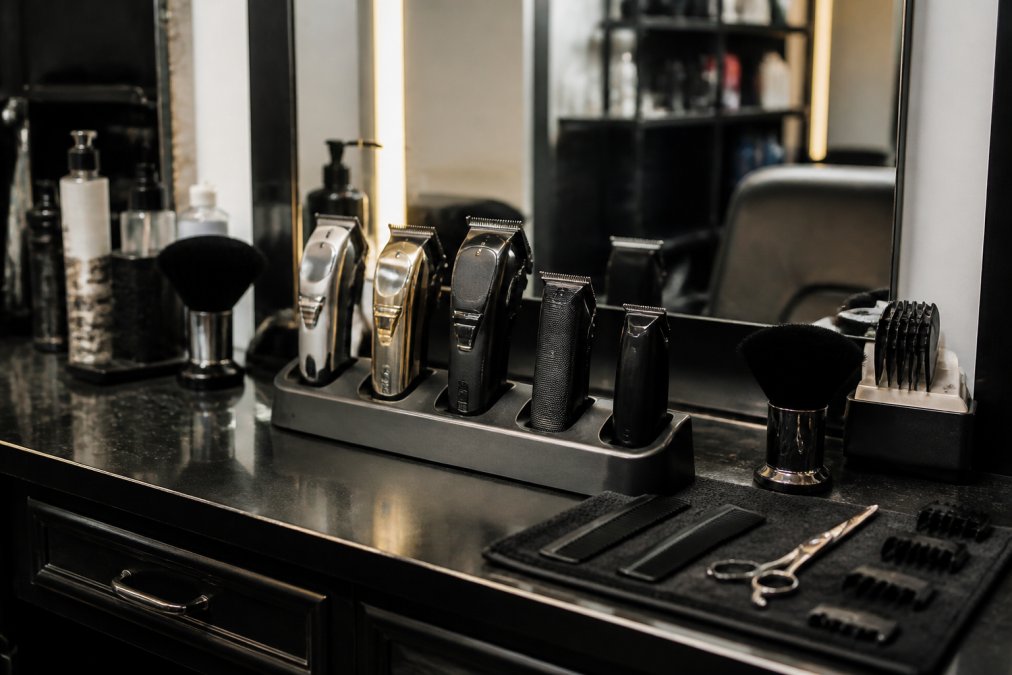
Options range from budget-friendly single-tool stands to premium all-in-one systems.
Premium All-in-One Bundles
The BaBylissPRO x Tomb45 Wireless-Charging Clipper & Trimmer Combo with FREE Charging Pad ($449.99) represents the top-tier option. This bundle includes a clipper and trimmer with dual high-capacity lithium-ion batteries delivering up to 4 hours of runtime on the clipper and 3 hours on the trimmer. The wireless charging pad eliminates cable management, and auto-shutoff protects battery longevity.

The clipper features a black titanium fade blade with a 5-position locking stretch taper lever for seamless fade transitions. The trimmer includes reversed blade orientation optimized for precise lineups. Both tools offer dual-speed motors (7,500 RPM for power, 6,800 RPM for control). USB-C compatibility provides backup charging options.
The JRL Ghost Collection #2 - Clipper, Trimmer & Foil Shaver with Charging Base ($420.00) includes a foil shaver alongside the clipper and trimmer, suiting barbers handling complete grooming services. The set comes with two charging docks for convenient placement throughout your station. Included maintenance items reduce need for separate purchases.
Budget-Friendly Charging Solutions
The Stylecraft Homie Trimmer w/ Free Charging Stand SC415B ($59.95) offers exceptional value for barbers needing a portable, lightweight trimmer. This tool includes a dedicated charging stand, eliminating separate dock purchases. The 7,500 RPM rotary motor delivers consistent performance, and the Japanese stainless-steel blade provides sharpness comparable to tools costing three times as much.
The Homie excels for mobile barbers or as a secondary tool. USB-C charging means you can use any standard USB charger, and the 90-minute runtime covers most detailed work sessions.
| Tool | Starting Price | Best For | Charging Type | Runtime |
|---|---|---|---|---|
| BaBylissPRO x Tomb45 Combo | $449.99 | Shops prioritizing wireless convenience | Wireless + USB-C | 4 hrs (clipper) |
| JRL Ghost Collection #2 | $420.00 | Complete grooming with foil shaver | Corded docks | Varies by tool |
| Stylecraft Homie Trimmer | $59.95 | Mobile barbers, budget-conscious | USB-C | 90 minutes |
Choosing the Right Dock for Your Setup
Your specific situation determines which charging dock makes sense.
High-volume shops with multiple chairs benefit from all-in-one bundles that consolidate charging infrastructure. The BaBylissPRO x Tomb45 combo or JRL Ghost Collection systems handle this demand efficiently with multiple charging positions and fast battery management.

Mobile barbers need portability without sacrificing functionality. The Stylecraft Homie Trimmer's lightweight design and included charging stand fit easily into a travel bag. For both clipper and trimmer capabilities while staying mobile, look for compact docks with universal compatibility and USB-C charging.
Solo barbers or those starting their career should prioritize value and reliability. A single high-quality clipper with a basic charging dock covers most needs without overinvestment.
Consider your station's aesthetic and available space. Compact docks with cable management suit minimalist stations, while multi-dock setups work better in larger shops. Measure your counter space and plan accordingly.
Battery longevity should influence your decision. If charging tools multiple times daily, invest in a dock with intelligent power management and auto-shutoff features. Premium bundles excel in this regard.
Frequently Asked Questions
What's the difference between a wireless charging dock and a USB-C charger for barber clippers?
Wireless charging docks let you place your clipper down without plugging in a cable, reducing wear on charging ports and cable management clutter. USB-C chargers require a direct connection but often charge faster and work universally across devices. Wireless options like the BaBylissPRO x Tomb45 system offer convenience for high-volume shops, while USB-C is ideal for mobile barbers who need flexibility. Both protect your clipper's lithium-ion battery when used correctly.
How do I maintain clipper battery health to extend the lifespan of my tools?
Charge your clipper fully before first use, avoid letting the battery drain completely, and use the correct charging dock or cable for your model. Store clippers in a cool, dry place away from heat and moisture. Charge after every use in a high-volume shop to prevent deep discharge cycles that wear out lithium-ion batteries faster. Most professional-grade clippers last 3-5 years with proper maintenance and regular charging discipline.
Are universal barber clipper charging stations compatible with all clipper brands?
No, not all docks are universal. Some like the JRL Ghost Collection come with dedicated charging bases for their specific models, while others use standard USB-C connectivity that works across multiple brands. Before buying, check if your clippers support wireless charging or USB-C. Fade Supply Co offers bundles with matching docks to ensure full compatibility and eliminate guesswork about what will work together.
What's the best charging dock setup for a mobile barber working out of a car?
Look for compact, lightweight options with anti-slip bases that won't slide during transport. The Stylecraft Homie Trimmer with its free charging stand ($59.95) is portable and space-efficient. For a complete mobile kit, the BaBylissPRO x Tomb45 combo ($449.99) includes wireless charging compatibility and fits neatly on a small station table. Prioritize USB-C or wireless docks that don't require permanent installation, and choose tools with high battery runtime (3-4 hours) to minimize charging frequency between clients.
Choosing the right barber clipper charging dock comes down to matching your workflow, budget, and long-term goals. Whether you're building your first station or upgrading an existing setup, Fade Supply Co's curated selection of professional-grade tools and charging solutions ensures you have the dependable equipment every barber deserves. Shop our collection today and invest in the infrastructure that keeps your tools performing at their peak.
This article was written using GrandRanker