

Table of Contents
- Why Clippers Lose Power Quickly
- How to Keep Clippers Sharp and Running Strong
- Essential Clipper Maintenance Tips for Daily Use
- Signs of Dull Clipper Blades and Battery Failure
- Troubleshooting Charging Issues and Power Drain
- When to Replace Batteries and Blades
- Frequently Asked Questions
Last Updated: September 24, 2026
Why Clippers Lose Power Quickly
When your clippers start losing power mid-shift, it's rarely a battery problem alone. The real culprit usually hides in plain sight: blade friction, debris buildup, and electrical resistance that builds up over days of heavy use. Understanding why clippers lose power quickly means looking at the complete system, not just the battery charge.
Clippers lose power for three main reasons. First, dull or misaligned blades create excessive motor resistance. Second, dirt and hair clog the blade edges, forcing the motor to work harder. Third, battery voltage output drops as charge cycles accumulate or as internal circuitry ages. For barbers running high-volume shops, this isn't theoretical, it's the difference between finishing a full client roster and cutting a shift short.
The good news: most power loss is preventable. Proper maintenance routines catch problems early. Regular blade lubrication, consistent cleaning, and smart storage practices keep your clippers running strong for years. At Fade Supply Co, we've built our maintenance kits around what professional barbers actually need to keep their tools reliable.

How to Keep Clippers Sharp and Running Strong
Sharp blades are the foundation of consistent power. Dull blades force the motor to work harder, draining the battery faster and creating the sensation that your clippers are dying. The fix starts with understanding blade mechanics and what happens when friction builds up.
Blade Lubrication and Motor Load
Blade lubrication is non-negotiable. When clipper blades lose their protective oil layer, friction increases immediately. This friction translates directly into motor strain and faster power drain.
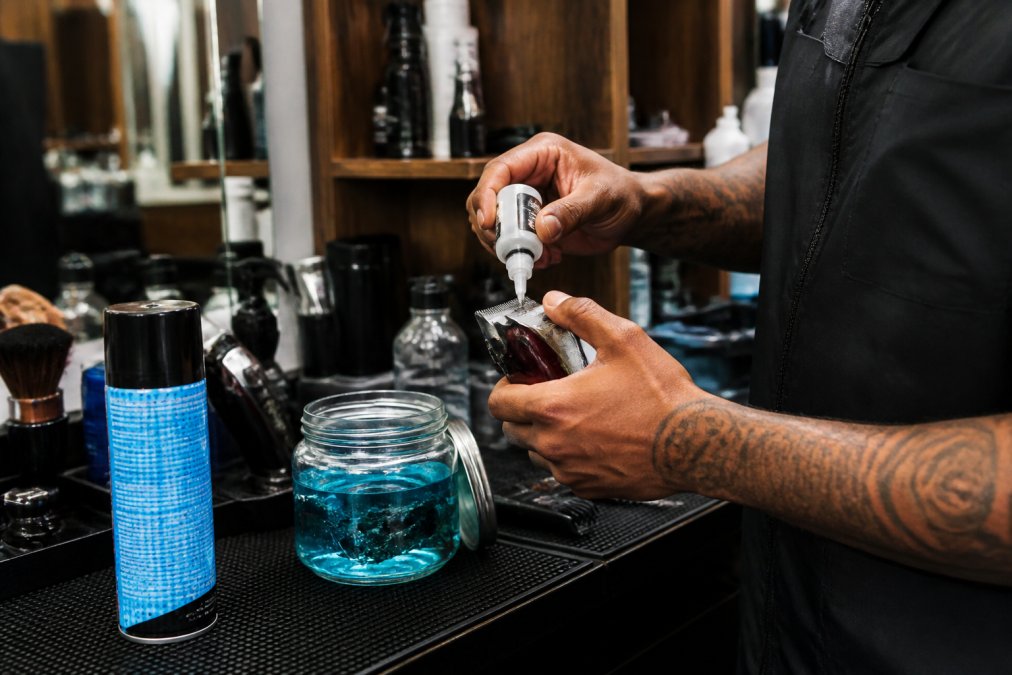
Apply clipper oil to the blade edges every 2-3 clients during your shift. A few drops on the blade tips is enough, you don't need to soak them. The oil reduces friction between the moving blade and the stationary blade, allowing the motor to spin freely without fighting resistance.
Here's what happens without lubrication:
- Blade friction increases by 40-60%
- Motor works harder to maintain cutting speed
- Battery drains 25-35% faster
- Blade edges wear faster, creating more friction in a vicious cycle
The Fade Supply Maintenance Kit includes Andis Clipper Oil, specifically formulated for professional clippers. A 4 oz bottle lasts weeks in a busy shop. Consistent oiling is cheaper than replacing blades or dealing with downtime from dead batteries.

Voltage Drop Testing
Voltage drop testing reveals whether your clippers are losing power due to blade resistance or battery failure. This simple check takes 60 seconds and tells you exactly what's happening.
Here's how to test voltage drop. Run your clippers with no load (blades spinning in air) and note the speed. Now hold them against a clipper guard or test block and feel the resistance. If the motor bogs down significantly or the blades slow noticeably, you've got a friction problem, not necessarily a battery problem.
A healthy clipper motor maintains consistent blade speed under load. When voltage output drops during cutting, it signals either high blade friction or aging internal circuitry. High friction is fixable. A failing battery requires replacement.
Most barbers skip this step and assume they need new clippers when they really just need sharper blades and better lubrication.
Essential Clipper Maintenance Tips for Daily Use
Daily maintenance prevents 80% of power loss problems. Barbers who clean and oil their clippers consistently almost never experience unexpected power failure mid-shift.
Cleaning and Disinfection Routines
Hair and debris accumulate inside your clipper blades faster than you think. This buildup creates mechanical resistance that forces your motor to work harder and drains your battery.
Clean your clippers between every client:
- Use a clipper brush to remove loose hair from blade edges
- Spray with Andis Cool Care to dissolve oils and disinfect
- Wipe dry with a clean cloth
- Apply fresh clipper oil before the next client
Deep cleaning happens at the end of your shift. Soak blade edges in disinfectant for 10-15 minutes. Use a soft brush to gently clean any stubborn debris. Rinse and dry thoroughly before oiling.
The Fade Supply Acrylic Disinfecting Jar (37 oz) keeps your tools organized and ready. The removable basket holds multiple pairs of clippers, and the acrylic design lets you see exactly what needs attention. Store your clippers in disinfectant between deep cleans to prevent bacterial growth and keep blades protected.
Storage and Environmental Temperature Effects
Where you store your clippers matters more than most barbers realize. Heat and humidity damage internal circuitry and accelerate battery degradation. Cold temperatures reduce battery voltage output temporarily, making clippers feel weak even if the battery is healthy.
Store clippers in a cool, dry place. Room temperature (68-72°F) is ideal. Avoid leaving clippers in hot cars, humid bathrooms, or direct sunlight. These conditions accelerate battery cycle aging and corrode internal connections.
If your clippers feel weak on cold mornings, let them warm up for 10 minutes before your first client. Battery voltage output increases as the battery warms, and you'll notice immediate improvement in cutting speed and power.
For mobile barbers working out of a car or small suite, invest in a protective case that shields your clippers from temperature swings and moisture. The Fade Supply Classic Disinfecting Jar (45.5 oz) with its durable glass and stainless-steel basket keeps tools protected and organized in tight spaces.

Signs of Dull Clipper Blades and Battery Failure
Knowing the difference between dull blades and a failing battery saves you money and downtime. Both feel like power loss, but the fixes are completely different.
Performance Degradation Indicators
Dull blades show specific warning signs. Your clippers pull hair instead of cutting cleanly. You need to make multiple passes over the same area. The motor sounds strained or works harder than usual. These are mechanical problems, not electrical ones.
Battery failure shows different signs. Your clippers start strong but lose power within 30 minutes of a full charge. The motor speed drops gradually during a cut, then recovers after a brief rest. Blade speed becomes inconsistent, making it hard to maintain clean lines. The battery won't hold a charge overnight.
Test which one you're dealing with:
- If clippers cut cleanly but feel slow, suspect the battery
- If clippers pull hair and feel rough, suspect dull blades
- If clippers cut fine but lose power mid-shift, suspect both issues together
Battery Cycle and Capacity Loss
Lithium-ion batteries in cordless clippers degrade with every charge cycle. After 500-1000 full charge cycles, capacity loss becomes noticeable. A battery that once lasted 8 hours might only last 5 hours. This isn't sudden failure, it's gradual performance degradation.
You can't stop battery aging, but you can slow it down. Avoid fully discharging your clippers before charging. Charge them when they reach 20% battery, not 0%. This reduces stress on the battery and extends total lifespan by 20-30%.
Store batteries in a cool place when not in use. Heat accelerates capacity loss. If you're not using your clippers for a week or more, store them at 50% charge, not fully depleted.
Most professional-grade clipper batteries last 2-3 years with proper care.
Troubleshooting Charging Issues and Power Drain
Sometimes the problem isn't the blade or the battery, it's the charging port or electrical connections. Corrosion and loose connections create voltage drop before power even reaches the motor.
When to Replace Batteries and Blades
Knowing when to replace components saves money and prevents mid-shift failures. Replacing parts before they completely fail keeps your clippers running reliably.
| Maintenance Task | Frequency | Impact on Power |
|---|---|---|
| Oil blade edges | Every 2-3 clients | Reduces friction 40-60% |
| Clean with Cool Care spray | Between each client | Prevents debris buildup |
| Deep disinfect blades | End of shift | Removes accumulated hair |
| Inspect charging port | Weekly | Prevents voltage drop |
| Replace dull blades | Every 12-18 months | Restores cutting speed |
| Replace aged battery | Every 2-3 years | Restores full runtime |
Frequently Asked Questions
Why do cordless clippers lose power during a haircut?
Cordless clippers lose power when blade friction increases due to debris buildup, dull blades, or insufficient lubrication. As friction rises, motor resistance increases, forcing the battery to work harder and drain faster. Blade alignment issues and motor strain from worn internal circuitry also reduce runtime. Regular cleaning, proper oiling with products like Andis Clipper Oil, and blade maintenance restore consistent output and extend battery life during heavy use.
Does lack of oiling cause clippers to lose power?
Yes. Without proper lubrication, blade friction increases significantly, forcing the motor to draw more electrical current to maintain cutting torque. This thermal stress accelerates battery discharge and motor wear. Applying clipper oil regularly reduces blade friction, lowers power consumption, and extends both battery runtime and blade lifespan. The Fade Supply Maintenance Kit includes Andis Clipper Oil specifically designed to keep blades running smooth and friction-free for flawless performance.
How do I know if my clipper battery needs replacing?
Signs include rapid power drain during short cutting sessions, clippers shutting off unexpectedly, weak cutting torque even with freshly charged batteries, and visible capacity loss after a few months of heavy use. If voltage drop testing shows output below the clipper's rated voltage, or if runtime has dropped by 50% or more compared to when new, the battery cycle has degraded beyond practical use. Professional-grade replacement batteries restore consistent output and performance degradation stops.
Can dull blades cause a clipper motor to struggle?
Absolutely. Dull blades create excessive blade friction and increase mechanical load on the motor, forcing it to draw more electrical current to maintain cutting torque. This causes performance degradation, faster battery discharge, and thermal stress on internal circuitry. Keeping blades sharp through regular maintenance reduces motor strain, improves power efficiency, and extends both clipper and battery lifespan. Sharp blades are essential for maintaining consistent output in high-volume shops.